

Questions or feedback?
Email us at hello@tabbyapp.com
The “Tab Zero” Mindset
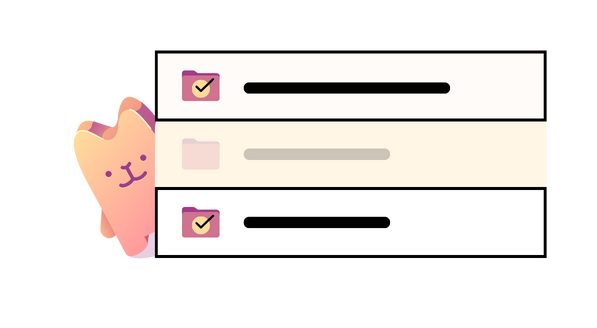
Tabby is designed to work alongside the “tab zero” mindset. Instead of keeping lots of windows and tabs open, save and close windows to eliminate clutter, reduce Mac memory pressure, and improve performance. Then re-open windows and tabs when you need them, with changes to tabs automatically saved within Tabby. When you’re done just close your windows again. With Tabby and the “tab zero” mindset it’s easy to get to and stay at zero tabs open!
Getting Started
- Install or update Tabby – Browser Tab Manager from the Mac App Store.
- Tabby is a full app so the Tabby icon will appear in the system Dock at the bottom of the screen.
- Tabby uses browser extensions to communicate with supported browsers. To install and enable browser extensions use the following steps:
- [Safari] The Safari extension is installed with Tabby. To enable it, use the Browsers tab in the Tabby Settings dialog to open the Safari extensions settings dialog, and then check the box next to Tabby for Safari. Then grant permissions for all websites.
- [Chrome / Firefox / Chromium] To install the extensions for Chrome, Firefox, and Chromium use the Browsers tab in the Tabby settings dialog to open a browser tab to the appropriate browser web store. Then use the button on that tab to install the browser extension. No additional permissions are required.
Best Practices
- Use the “tab zero” mindset described above to save and close your browser windows.
- Open a new browser window each time you start on a new topic. When you are done working on that topic you can decide if the window (and it’s tabs) should be saved for future use or discarded.
- [Safari] Important! Save and close all your Safari windows before restarting Safari. Doing so will avoid multiple bugs within Safari.
- [Chrome / Chromium / Firefox] In Settings, set On Startup to Open the New Tab page instead of having your browser re-open your windows at startup. Doing so will avoid duplicate window entries within Tabby.
Known Issues
- [Chrome] Browser status in the Tabby settings dialog will show “Not connected” when zero Chrome windows are open, even though Chrome is running and the Tabby for Chrome extension has been added. Workaround: keep at least one Chrome window open
- [Chrome] In Incognito mode tabs with Google queries will fail to re-open properly. Workaround: click through the query to a website before saving your window.
- [Safari] Restarting Safari with windows open will result in tabs being displayed as “Start Tab” after the restart. Workaround: Follow the best practice of saving and closing all Safari windows prior to restarting Safari. This issue is resolved in macOS 26.2 / Safari 26.2.
- [Safari] Using Tabby to drag and drop tabs within a Safari window is not supported due to limitations in Safari. Workaround: Re-arrange tabs in Safari windows using Safari itself. The changes will be reflected in Tabby.
- [Safari] Using Safari to detach and attach tabs to different windows is not supported due to limitations in certain versions of macOS / Safari. Workaround: Create windows as necessary in Safari and then use Tabby to drag and drop tabs across windows. The issue is resolved in macOS 15.5 / Safari 18.5.
Frequently Asked Questions
- What about support for <insert favorite browser here>. If your browser of choice supports the use of Chrome extensions there is a chance it will work with Tabby. However each additional supported browser requires an update to the Tabby app so get in touch with us to make a request.
- [Arc / Vivaldi] Unfortunately we have tested Arc and Vivaldi browsers and found them to lack the necessary support to be compatible with Tabby.
Release notes for Tabby 3.1.1 (235)
- Performance improvements
- Faster scrolling of window/tab list
- Faster favicon retrieval and display
- Drag and drop
- Drag and drop of tabs between browser windows in the window/tab list, including across browser types, to easily order and organize your tabs
- Drag and drop of windows within the window/tab list, providing easy control over window ordering
- Improved destination indicator when drag and dropping windows and tabs within the window/tab list
- Chrome support
- Opening saved Chrome windows now works properly when no other Chrome windows are open or Chrome is not running
- Opening a single saved Chrome tab no longer opens an unmanaged Chrome window when no other Chrome windows are open
- Misc fixes
- Search bar now retains and selects previous search terms for more easy subsequent searches
- Tabby app window size / location / display now retained after Tabby re-start
- Crashlytics integration for improved crash tracking and debugging
- Favicons are now displayed properly for a much larger number of websites
- macOS 26 fixes
- Search bar “X” button now works on macOS 26
- Tab rows are now fully highlighted when running on macOS 26
- Focus when selecting an opened Safari window is now handled properly on macOS 26
- Tab names are now retained after a Safari restart when running on macOS 26.2+
Looking for the FAQ for Tabby Classic? It’s here.